Gene Café CBR-301 technical reference
A practical, read-only data-logging build for the Gene Café CBR-301
This page documents how I placed a Raspberry Pi beside the Gene Café CBR-301 to capture the machine’s Bluetooth data, calibrated microphone audio, electrical power information and operator observations on one shared timeline. It is an independent reference project: it does not control the roaster, replace its safety systems or turn the Gene Café into an unattended appliance.
Current status: this technical page is being assembled from the working RoastAid system and will remain a draft until the final Pi storage, touchscreen, operating-system and software-build details have been verified on the actual unit.
What the system does
- Requests and receives displayed machine state over Bluetooth using only captured official-app initialisation and status-poll traffic; it sends no roaster-control commands.
- Records mono 48 kHz audio through a miniDSP UMIK-1 measurement microphone.
- Records electrical power, voltage and energy through monitoring-only instrumentation.
- Captures operator markers and the final roasted weight.
- Preserves the separate streams under one session identity.
- Returns the completed capture to the originating Green Bean Ledger roast record.
What it deliberately does not do
- It does not start or stop the Gene Café.
- It does not alter target temperature, fan level or drum agitation.
- It does not start cooling.
- It does not bypass the roaster’s controls or safety systems.
- It does not treat acoustic activity as confirmed first crack.
RoastAid is a capture and decision-support companion. The operator remains beside the roaster and remains responsible for every roasting decision.
The data flow
Green Bean Ledger
        |
        | staged roast identity and plan
        v
Raspberry Pi 5 / RoastAid
        |
        +-- Gene Café Bluetooth: non-controlling status requests and replies
        +-- UMIK-1: mono 48 kHz audio
        +-- RoastPower: watts, voltage and energy
        +-- Touchscreen: operator markers and final weight
        |
        v
Capture Check and canonical session record
        |
        v
Green Bean Ledger + RoastSignal post-roast review
Hardware used
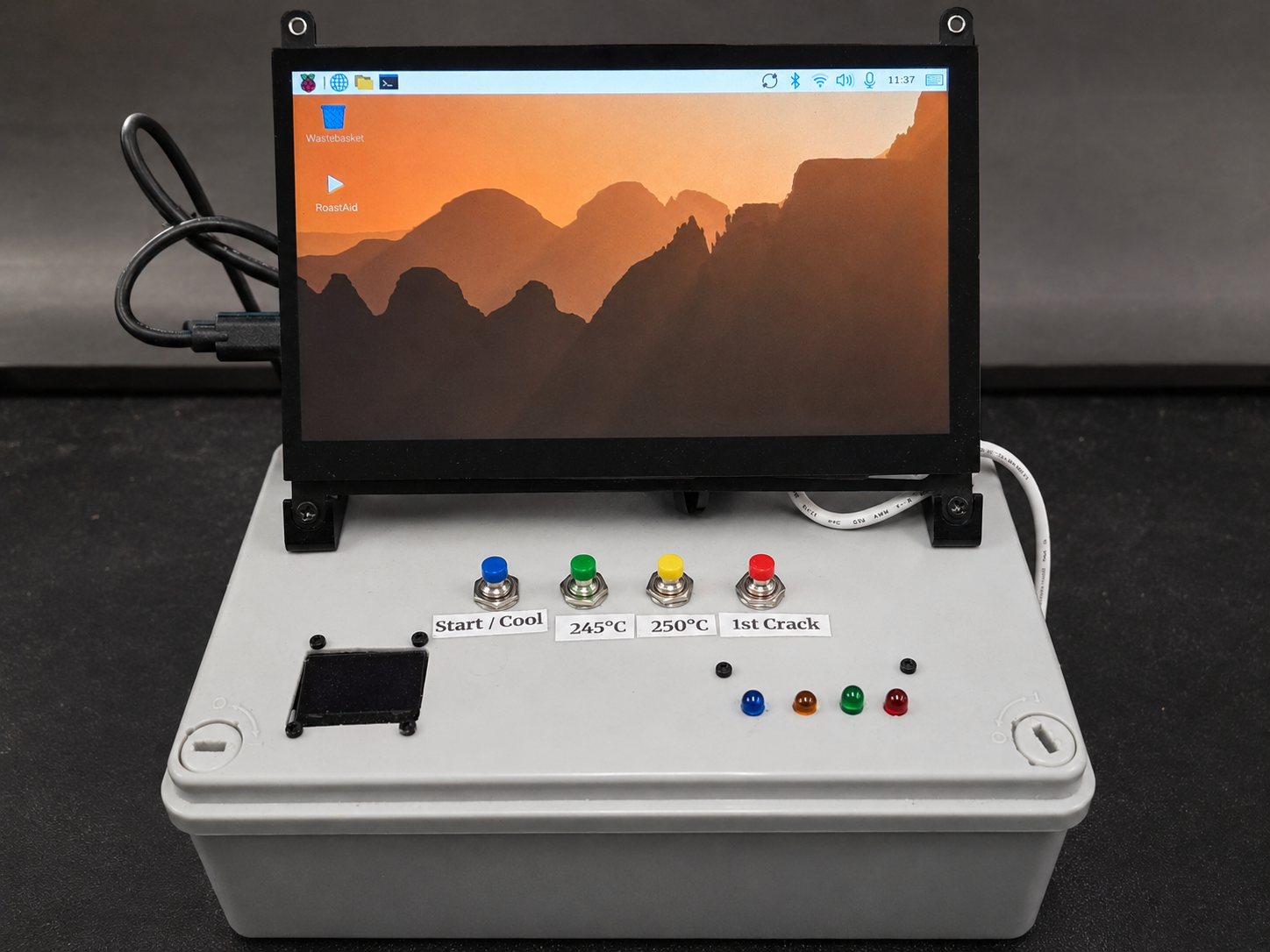
| Component | Confirmed role | Publication status |
|---|---|---|
| Raspberry Pi 5 Model B Rev 1.1, 4 GB RAM | Runs the local RoastAid capture system beside the roaster | Confirmed from the working Pi; hardware revision c04171 |
| Official 27 W USB-C supply, 5.1 V / 5 A | Powers the Pi separately from the roaster circuit being monitored | Confirmed design |
| 64 GB microSD card | Current operating-system and local capture storage; 58.9 GB detected, with approximately 43 GB free during the audit | Confirmed. NVMe was planned but is not installed or in use on this system. |
| DZX Z3 touchscreen display | 1024 x 600 over HDMI-A-1 at approximately 60 Hz; USB touch interface detected as QinHeng Electronics USB2IIC_CTP_CONTROL (1a86:e5e3) | Confirmed by RoastAid’s deployed screen profile and live system inventory; display stack is Wayland with labwc |
| miniDSP UMIK-1, USB ID 2752:0007 | ALSA device hw:CARD=UMIK1,DEV=0; mono, 48 kHz, 24-bit packed little-endian (S24_3LE) | Confirmed from the working Pi and RoastAid hardware profile |
| Shelly EM Mini Gen4, model S4EM-001PXCEU16, application MiniEMG4 | RoastPower requests watts, voltage and energy status once per second with a two-second timeout and a five-second capture tail | Confirmed configuration; control: false. Public examples omit the device address and identifiers. |
| Wi-Fi | Local network connection; PoE was removed from the design | Confirmed design |
Software platform
- Operating system: Debian GNU/Linux 13 (trixie), 64-bit ARM
- Kernel: 6.18.34+rpt-rpi-2712, build dated 9 June 2026
- Python: 3.13.5
- Relevant installed packages include NumPy 2.2.4, Pygame 2.6.1, Requests 2.32.3, gpiozero 2.0.1, gpiod 2.2.0 and rpi-lgpio 0.6
- RoastAid is currently launched as an operator-run application rather than a named systemd service
- The active launcher file is
launch_roastaid_capture_v0_5e_acoustic_v0_2.sh, but its runtime banner identifies the integrated build as RoastAid Capture v0.5f + Acoustic Activity UI v0.2b. Older component filenames andui_session_v0_5d_*directories remain, so the public release package will need one reconciled version label. - Screen profile:
dzx_z3_hdmi_1024x600_wayland_labwc_v1 - Hardware profile:
pi5_original_64bit_gpio_ui_audio_dev_v1 - Working files live under
/home/wjm/roastaid; public examples will use neutral paths
What the Gene Café data means
The official Gene Café application connects over Bluetooth and exposes displayed temperature, elapsed time, fan level and drum-rotation level. The early app JSON exports in this project contain fields including current_time, current_temp, fan_speed and stirring_strength.
Those fields describe what the machine or application reports. They are not a direct bean-temperature probe and they must not be presented as validated bean temperature or reliable bean rate of rise. The app can send control commands. RoastAid does not. Its status path writes only captured official-app initialisation and status-request packets, then records the replies. It is therefore non-controlling and read-only in purpose, but not literally passive at BLE packet level.
How the BLE status path works
The Gene Café exposes a command/response protocol rather than a plain readable telemetry characteristic. The Pi subscribes to notifications on GATT characteristic fff1 and writes captured official-app initialisation and status-poll packets to fff2 using Python and Bleak. Packets use CRC-16/CCITT-FALSE; the observed status request is command 0x20 and the reply is 0x21.
Initial validated replies included current displayed temperature, target roast temperature and roast time. Later RoastAid captures also preserved further decoded machine state. The implementation is intentionally restricted to observed official-app status traffic. Random writes and unobserved control commands are outside the safety boundary.
The session bundle
A useful roast record is more than one graph. The target session bundle keeps the raw evidence and the interpreted record separate:
roast_metadata.jsoncbr301_raw_ble.logcbr301_telemetry.csvshelly_power.csvaudio.wavevents.jsonsession_manifest.json
The live implementation also writes a canonical RoastAid JSON record so the capture can be checked and returned to Green Bean Ledger without creating a second competing database.
This documented build is the original host named RoastSignal, used as the GPIO, touchscreen, audio and capture-development platform. Two other Pi systems appear in the project inventory, but they are separate future/helper platforms and are not presented here as the machine that produced these working captures.
How a capture starts
The launcher is deliberately fail-closed. Before the touchscreen opens, it checks that a valid roast job has been staged from Green Bean Ledger, that control is explicitly false, and that the roast identity, lot, coffee and input weight are present. A tightly scoped R0 validation job is the only non-GBL exception.
- Validate the staged roast metadata.
- Stop stale UI, browser, audio, BLE, power and bundle processes.
- Clear stale live-state files.
- Test the UMIK-1, allowing up to three attempts.
- Run the RoastPower preflight; abort if it fails.
- Start the restartable BLE supervisor and wait for fresh Gene Café telemetry; abort if none arrives.
- Start the UI server and require it to publish
active_session.json. - Start audio, non-controlling acoustic activity, RoastPower and bundle sidecars.
- Launch Chromium in a local Wayland kiosk at
127.0.0.1:8765.
This sequence is one of the most reproducible parts of the project: a capture does not start merely because the user pressed a button. The required evidence channels must first prove that they are available.
Audio and candidate activity
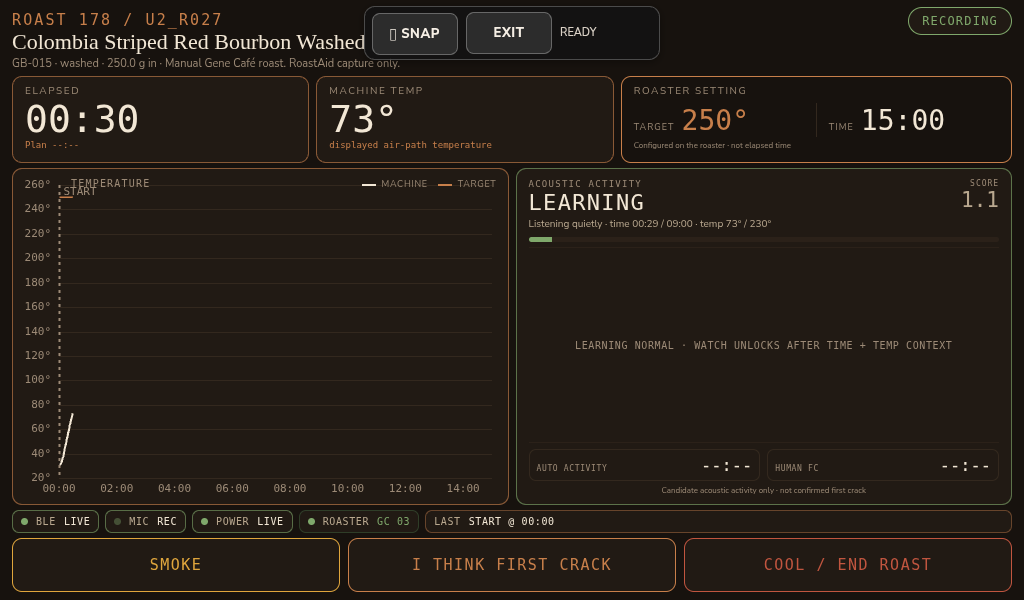
The UMIK-1 records the roaster’s mechanical rhythm and short transient sounds as well as possible coffee activity. RoastSignal reviews those recordings after the roast; RoastAid can use the same evidence during capture. Neither system claims that a detected sound is confirmed first crack. The correct description is candidate crack-like activity until independent evidence supports a stronger conclusion.
In acoustic configuration v0.2, analysis uses 0.125-second frames after building a 30-second baseline. The watch region does not arm before 540 seconds and 230°C, and it also requires the machine to be in a roasting state. Event, cluster and rhythm rules then look for changes relative to that roast’s baseline. These thresholds are experimental filters for attention, not a universal first-crack model.
Capture Check
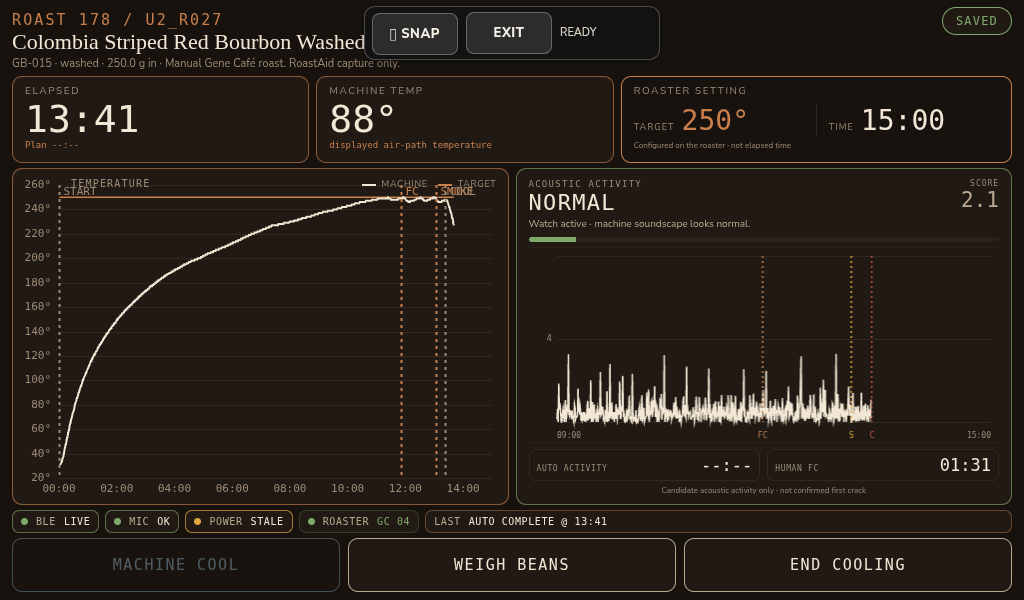
Before a session is trusted, Capture Check verifies that the expected pieces exist: the user-interface session, UMIK-1 audio, non-controlling Gene Café BLE status feed, RoastPower output, session identifiers and canonical roast record. A successful screen interaction alone is not enough.
Electrical and mains-safety boundary
The Gene Café manual describes a 1.5 kW heating appliance and explicitly warns against disassembly, unauthorised modification, blocked ventilation, unsuitable extension leads and operation without close supervision. Electrical monitoring must not require opening, modifying or bypassing the CBR-301.
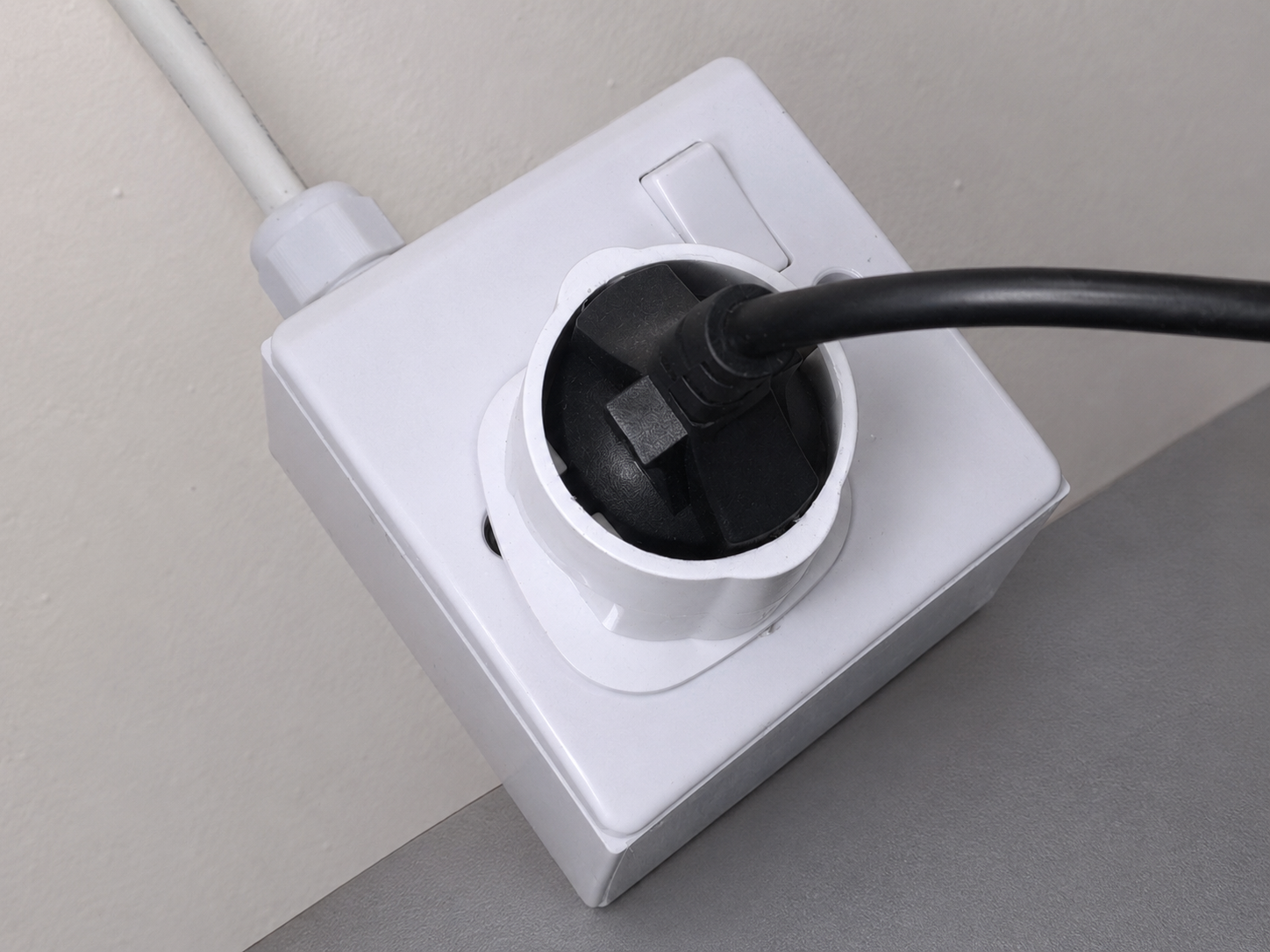
Any fixed mains installation or change to a socket or monitoring circuit must be completed and verified by a qualified electrician in accordance with local requirements. This page will document the data interface and observed outputs, not provide DIY mains-wiring instructions.
Code and reproducibility
The intention is to publish sanitised example code, sample configuration and representative output so another Gene Café owner can understand and reproduce the non-controlling status-monitoring approach. Credentials, Bluetooth identifiers, device-specific names, private hostnames and personal file paths will be removed.
The code will be presented as an example and learning reference rather than a supported product. A simple permissive licence such as MIT remains under consideration and will only be stated once the release package is ready.
Details still to verify before publication
- Define a single public release version across the v0.5d UI/session labels, v0.5e launcher and acoustic v0.2 components
- Sanitised install and run commands
- Download or repository location and final licence
- Representative configuration and sample output files